Restaurant Reservation Log Template
Running a restaurant in today’s competitive market is not easy. Everything must be managed efficiently so that customers are satisfied and want to return to your restaurant again. Handling seating arrangements can be challenging, especially when the restaurant becomes very busy. If customers are turned away due to a lack of seating, they may become dissatisfied with your restaurant.
It is important to maintain a proper flow of customers in the restaurant so that it does not become overcrowded. One way to achieve this is by recording reservations. A restaurant reservation log can help with this.
What is a Restaurant Reservation Log?
A restaurant reservation log is a document used to record all reservations made at a restaurant during a specific period of time. The log includes important details about each reservation, such as the number of guests, arrival time, and other relevant information.
The log helps staff properly track reservations and manage seating arrangements efficiently. Staff members will know when guests are expected to arrive and how many people will be dining. This helps prevent overcrowding and allows the restaurant to serve guests more effectively.
The log should be designed so that important reservation details can be recorded clearly and without confusion. The following are some tips for creating an easy-to-use restaurant reservation log:
Important Information
The document heading can be “Restaurant Reservation Log.” You can also include the restaurant’s name and contact information on the log. In addition, there should be a section for the date so that the specific day covered by the log is clearly identified.
Create a Proper Format
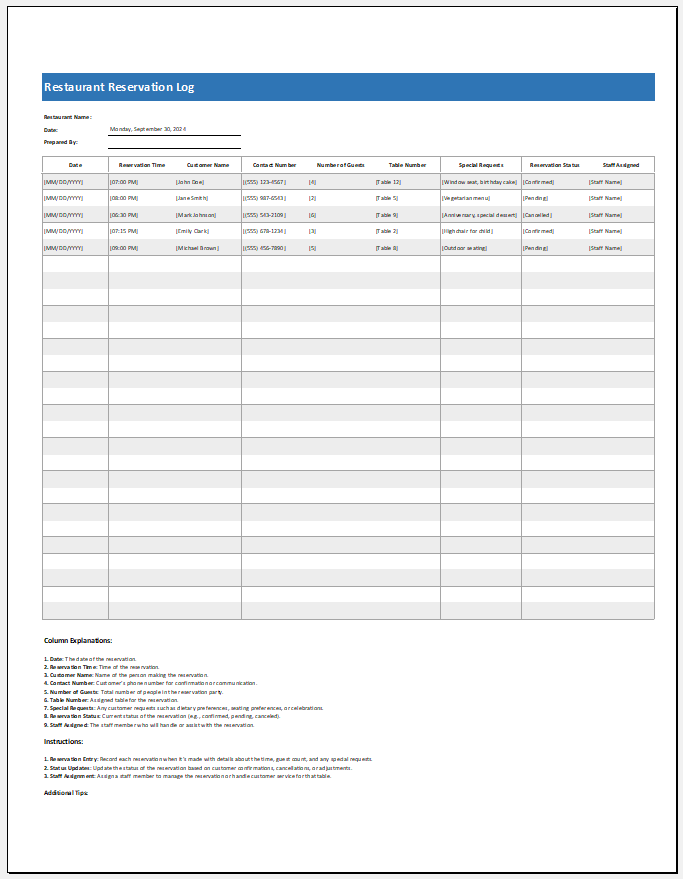
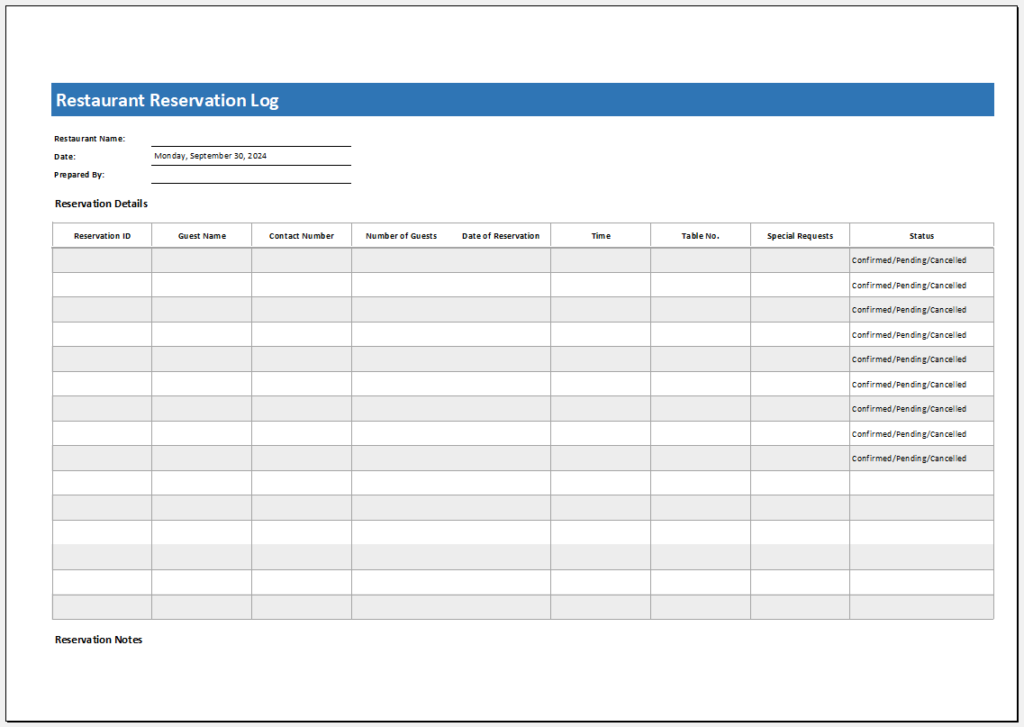
The table should include columns related to important reservation details. A column for arrival time can record the expected time guests will arrive. A guest name column is also important so staff can quickly confirm reservations when guests arrive. You can also include a column for table count.
A column for the total number of guests will help ensure the correct table and seating arrangement are prepared. You should also include a contact number column to record guests’ phone numbers.
This information is useful if any issue arises and the guest needs to be contacted. A leaving time column can be added to record when guests leave the restaurant. In addition, a status column can show whether the guests arrived, canceled, or completed their reservation. A notes column may also be included to record any additional important details.
Helps Organize Tables and Seating Arrangements
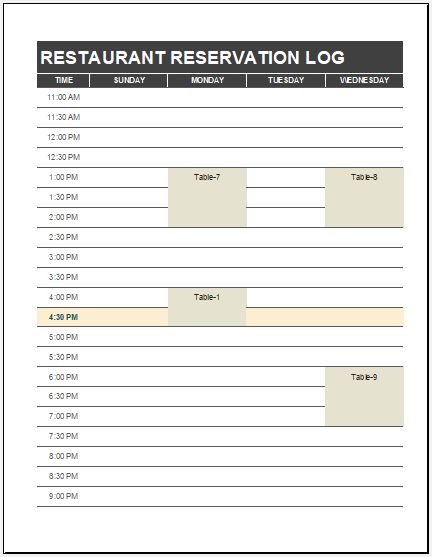
This log is important because it helps a restaurant organize tables and seating arrangements before guests arrive. It is much easier for a restaurant to manage customers effectively when staff know how many people are coming and when they are expected to arrive. Without a proper system in place, the restaurant may become overcrowded.
This can even result in some guests leaving without dining. A reservation log helps inform customers when a table will be available so they can arrive at the appropriate time and avoid unnecessary waiting. Therefore, the log helps keep the restaurant organized and operating more efficiently while improving customer service.
The log is also beneficial for customers because they can plan their visit according to table availability. Guests will not need to wait long for a table to become available. It is less likely that frustrated customers will be kept waiting for extended periods when a proper reservation log is maintained.
Preview
Format: MS Excel (.xlsx)
Format: MS Excel (.xlsx)
File Size: 32 KB | Format: MS Excel
- Children’s Daily Activity Reward Sheet
- Winter Clothing & Gear Budget Sheet
- Winter Utility Expense Template
- Fuel & Equipment Sheets
- Monthly Attendance Sheet for Employees
- Student Entry & Exit Log
- Gantt Chart for Smaller Projects
- Behavior Log of Child for Schools
- Loan Repayment Tracker
- Product Sales Tracker Template
- Debit Memo Template for Excel
- Winter Attire Inventory
- Financial Projections Worksheet
- Employee Absence Tracker
- Weekly Sales Report Template
← Previous Article
Daily Cash Sheet TemplateNext Article →
Patient Progress Note Template
Leave a Reply