Sales Commission Tracker Template
A sales commission tracker is a tool used by finance or HR departments to calculate the total commission earned by a sales representative. In simple terms, sales refer to the process of selling a company’s products or services to its target clients.
Sales representatives are individuals who sell products or services on behalf of a company. They may reach clients through phone calls, emails, or in-person visits. Their compensation typically includes a base salary and commissions based on sales performance.
Key Components of a Sales Commission Tracker
A Sales Commission Tracker typically includes:
- Name of the company or client purchasing the goods or services.
- Name and category of the item or service sold.
- Quantity of items sold.
- Applicable commission rates.
These components help companies accurately track each salesperson’s earnings and maintain organized records.
Key Benefits of Using a Sales Commission Tracker
In today’s business environment, where companies rely on advanced technologies to monitor operations, a sales commission tracker provides a competitive advantage. Its key benefits include:
- Saves Time and Effort: Records are readily available when needed by management, eliminating the need for manual calculations.
- Accessible to All: Both managers and salespeople can access the tool, ensuring transparency and collaboration.
- Accurate Commission Calculation: Integrated formulas function like a reliable commission calculator, reducing errors.
- Real-Time Updates: Salespeople can enter their sales and orders throughout the day, with commissions calculated automatically.
- Boosts Motivation and Accountability: The tool gives employees a sense of responsibility and achievement, ensuring no sale is missed and allowing representatives to track total earnings.
- Handles Large Teams Efficiently: Even with a large sales force, the tracker manages vast amounts of data effectively, making it scalable and reliable.
Designing an Effective Commission Plan
When implementing a company’s sales commission plan, it should be structured to motivate salespersons to actively pursue sales opportunities. A well-designed plan benefits both the company and its sales team.
Since different companies have varying structures and products, each should use a customized sales commission tool. The best commission tracker aligns with the company’s structure, is easy to understand, and is usable by both management and employees.
About the Template
A sales manager is responsible for monitoring the performance and productivity of their team. An online tool, such as a Sales Commission Tracker template, helps managers calculate each employee’s total earnings and separate commission from base pay.
These templates are typically available in Excel format, allowing you to:
- Record total revenue generated by each team member.
- Automatically calculate commissions.
- Identify high and low performers within the team.
The recommended software is MS Excel, as all template features are fully supported and displayed clearly. For example, Sparklines, small, word-sized charts, can be inserted within a cell, table, or graph to provide a quick visualization of trends and performance. Using these, you can track projected sales, actual sales, holdbacks, and advances over time.
These templates are easy to use, customizable, and available online for free. You can create multiple copies for your employees, use them offline by downloading them to your computer, and adjust them to fit your specific business needs.
Download Our Sample Template
To make things easier, we have also created a ready-to-use Sales Commission Tracker template designed by our professionals. You can download it directly to start tracking commissions, monitor team performance, and simplify your sales management process.
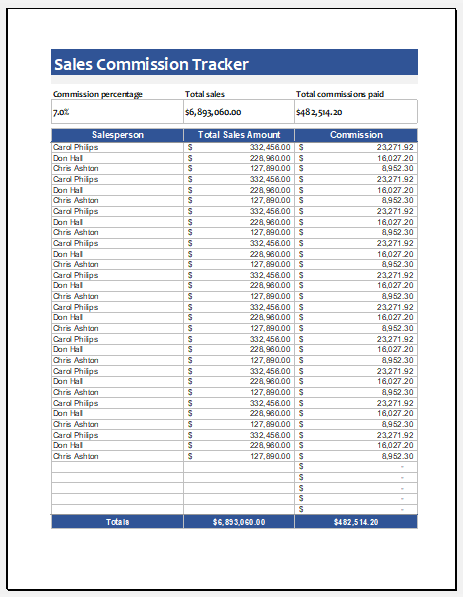
File: Excel (.xlsx)
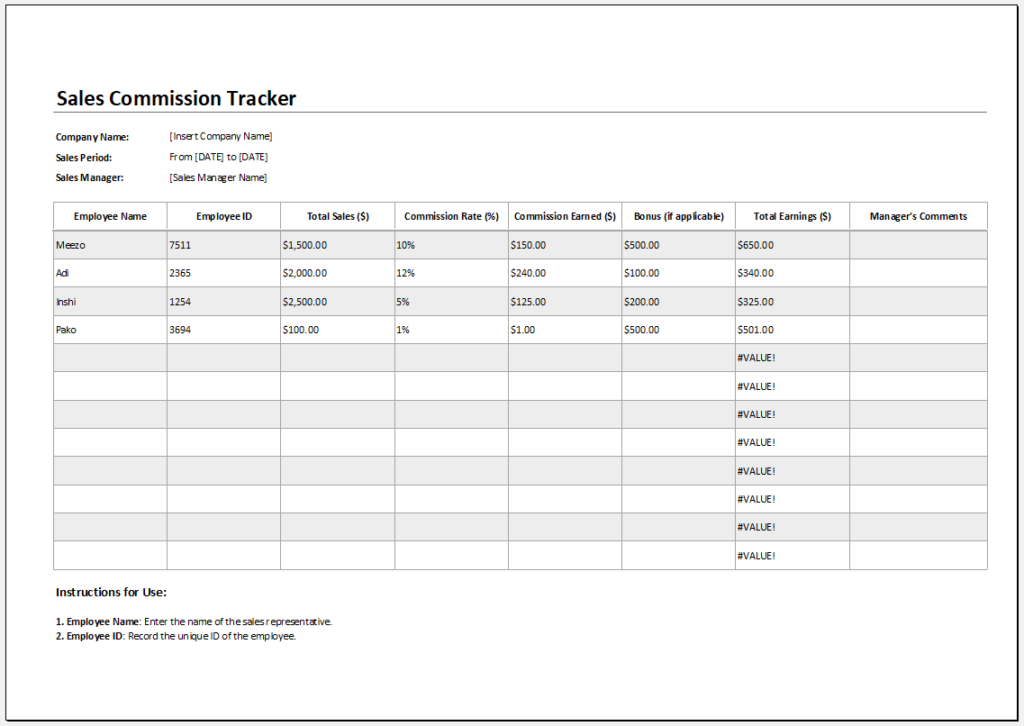
File: Excel (.xlsx)
- Children’s Daily Activity Reward Sheet
- Winter Clothing & Gear Budget Sheet
- Winter Utility Expense Template
- Fuel & Equipment Sheets
- Monthly Attendance Sheet for Employees
- Student Entry & Exit Log
- Gantt Chart for Smaller Projects
- Behavior Log of Child for Schools
- Loan Repayment Tracker
- Product Sales Tracker Template
- Debit Memo Template for Excel
- Winter Attire Inventory
- Financial Projections Worksheet
- Employee Absence Tracker
- Weekly Sales Report Template
- Budget Vs Actual Statement
- Remote Work Attendance Tracker
- Mileage Expense Report Template
← Previous Article
Mileage Reimbursement FormNext Article →
Travel Expense Report & Mileage Log
Leave a Reply